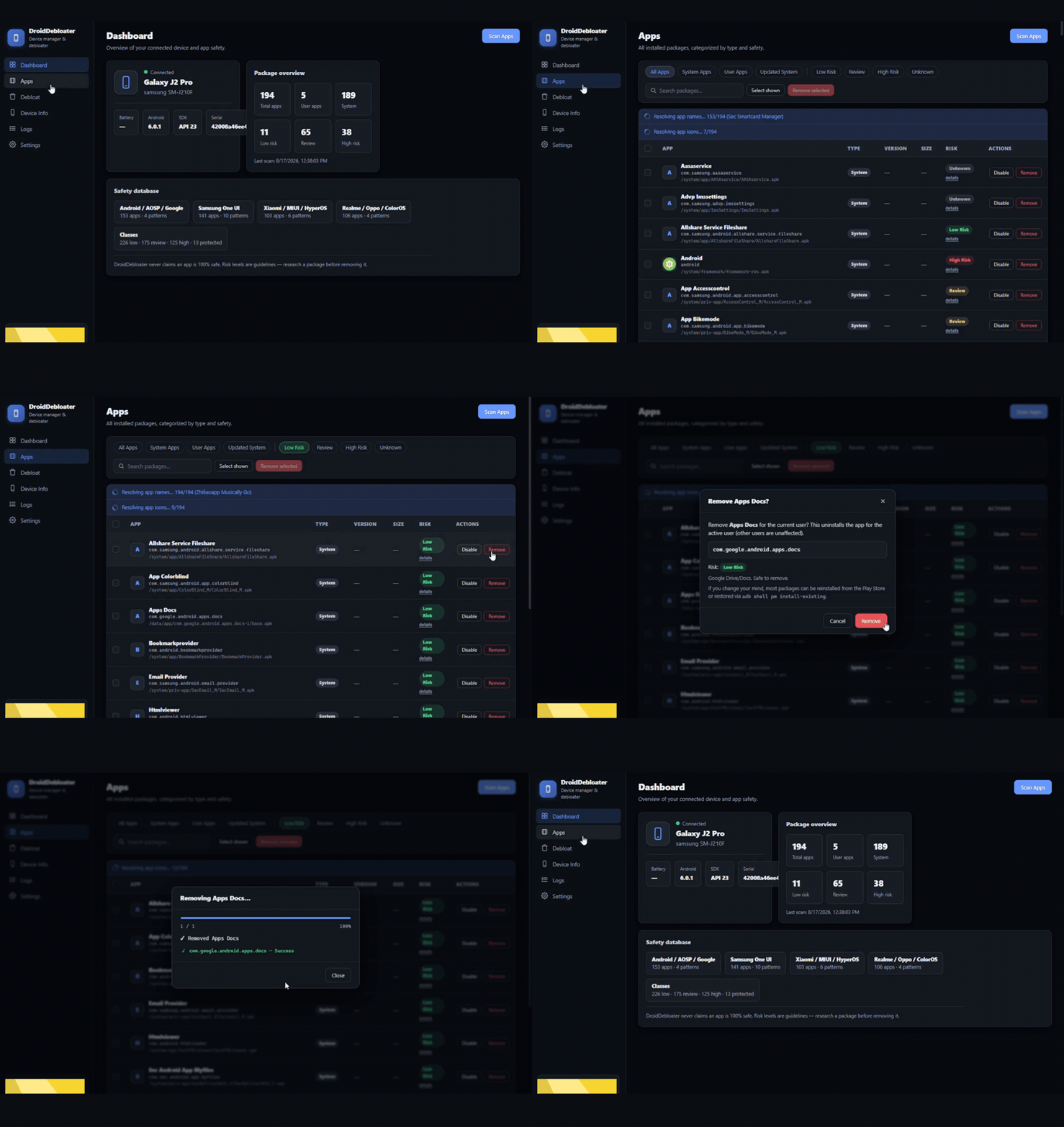
Scan your device, review risk ratings, and remove or disable apps with one click.
DroidDebloater scans every app on your Android phone over USB and lets you remove or disable the ones you don't need — with clear risk ratings and built-in protection for core system packages.
Scan your device, review risk ratings, and remove or disable apps with one click.
Works fully offline over bundled ADB — nothing is installed on your phone, nothing is sent to the internet.
Every installed app — user and system — with names, package IDs, sizes and icons.
Each package is rated Low / Review / High using built-in safety databases.
Dangerous system packages stay blocked unless you enable Advanced Mode.
Select many apps and process them all with live per-package progress.
Model, Android version, battery, storage and more at a glance.
Every operation is logged and viewable in-app for easy troubleshooting.
Three steps to a cleaner phone. Most removed apps can be restored from the Play Store.
Plug in your phone with USB debugging enabled. DroidDebloater detects it instantly.
See every app with its risk rating, size and icon. Choose what you want to remove.
One click removes the app for the current user. Watch live progress, then free up space.
Removing system apps can affect how your device behaves. DroidDebloater blocks core packages, shows a clear risk rating for everything, and never claims to be "100% safe" — no debloater can. Back up important data before you start, and use at your own risk.